How to make a product bundle image that sells the whole set
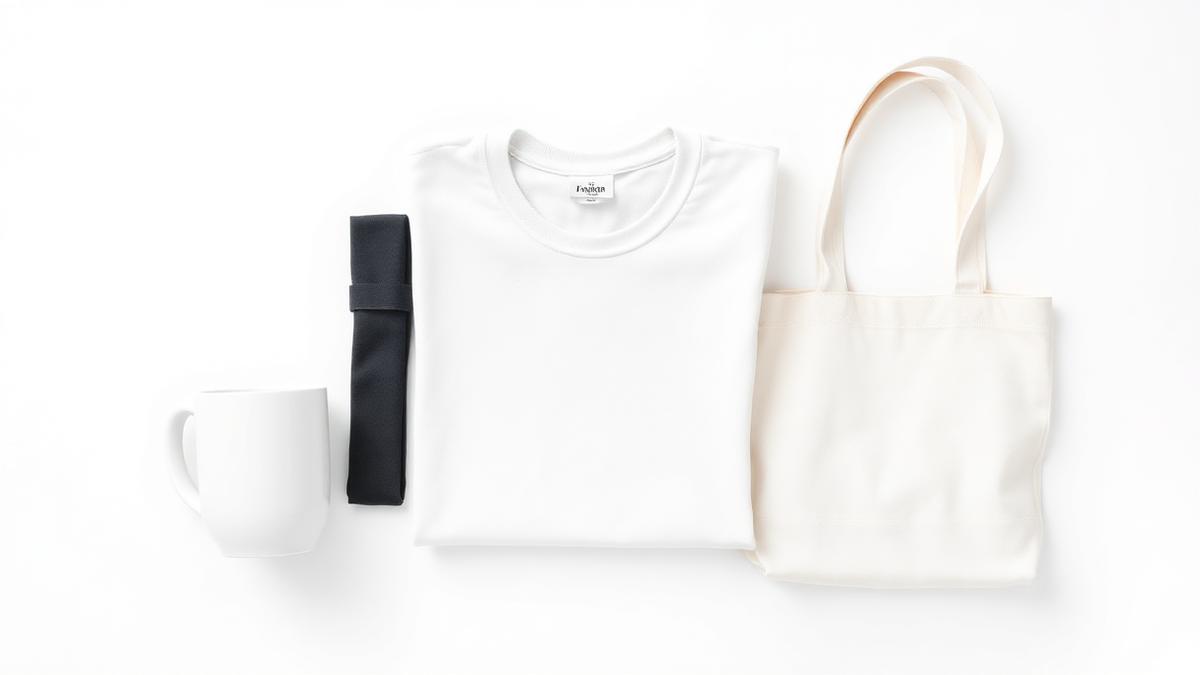
The short answer: a bundle listing lives or dies on one image that shows everything included, clearly, in a single glance. The buyer should never have to read the description to learn what is in the box. Compose the bundle image from your individual product photos, consistent sizing, clean spacing, one tidy arrangement, and keep the marketplace rules in mind: on Amazon the main bundle image still needs a pure white background and no text. You do not need the products photographed together; a bundle image is composed, not shot.
Bundles are one of the easiest ways to raise average order value: a mug plus a coaster, a tee plus a tote, a sticker multipack. But a bundle with a confusing image underperforms a single product with a clear one, because buyers do not purchase what they cannot instantly understand.
What a bundle image has to communicate
In under two seconds, the image must answer:
- What is included, every item visible, none implied
- How many, especially for multipacks, where quantity is the offer
- The relationship, that these items are one purchase, not alternatives to choose between
If any of the three is unclear, the buyer either clicks away or, worse, buys with wrong expectations and returns it.
The three layouts that work
1. The lineup
Products side by side, evenly spaced, same baseline. Best for 2 to 4 items of similar size (tee plus tote, mug pair). Reads instantly at thumbnail size.
2. The grid
Rows and columns, same cell size per item. Best for multipacks and larger sets (sticker packs, a 6-mug set). Quantity becomes the visual message.
3. The hero plus supporting cast
The main item large, the extras arranged smaller beside or in front. Best when one product carries the value and the rest are bonuses (a hoodie with matching beanie and socks).
Whichever layout, the rules are the same: consistent scale between items (a coaster should not look bigger than the mug), even spacing, one background, and no item cropped at the edge.
Marketplace rules for bundle images
- Amazon: the main image of a bundle must show exactly what the customer receives, on a pure white background, no text, logos, or props. "Set of 6" badges belong in secondary images, not the main one. The white-background rules are covered in our Amazon main image guide.
- Etsy: more freedom, styled backgrounds work, but the first image still needs every included item visible, because that image is the offer.
- Everywhere: match the listing's size requirements (see the product image size guide), and keep a version with clean margins so nothing is lost to thumbnail crops.
How to compose a bundle image without a photo shoot
Products in a bundle often never physically meet before the customer's doorstep, especially in print on demand, where each item is printed to order. So the bundle image is assembled:
- Gather one clean image per product, renders or photos, ideally on transparent or matching backgrounds.
- Compose the layout, consistent scale, even spacing, one of the three layouts above.
- Export at listing size, square for marketplace slots.
Our free Bundle Image Maker does the composition for you: upload the item images, and it arranges them into a balanced, listing-ready bundle shot. If some items only exist as designs so far, render them first in the mockup library, then bundle the renders.
Frequently asked questions
What is a bundle image? One image showing every item included in a set or multipack together, so the buyer instantly understands what they get. It is the main image of any bundle listing.
Do the products need to be photographed together? No. Bundle images are composed from individual product images. In print on demand the items usually do not exist together until the order is printed, so composition is the standard approach.
What are Amazon's rules for bundle images? The main image must show exactly what the customer receives, on a pure white background, with no text, logos, or badges. Quantity callouts and styled shots go in the secondary image slots.
How many items can one bundle image show? As many as stay recognisable at thumbnail size. Above roughly 8 to 10 items, switch to a grid layout where the repetition itself communicates quantity, and let a secondary image show detail.