How to Create 100 Product Mockups in Under an Hour (No Photoshop)
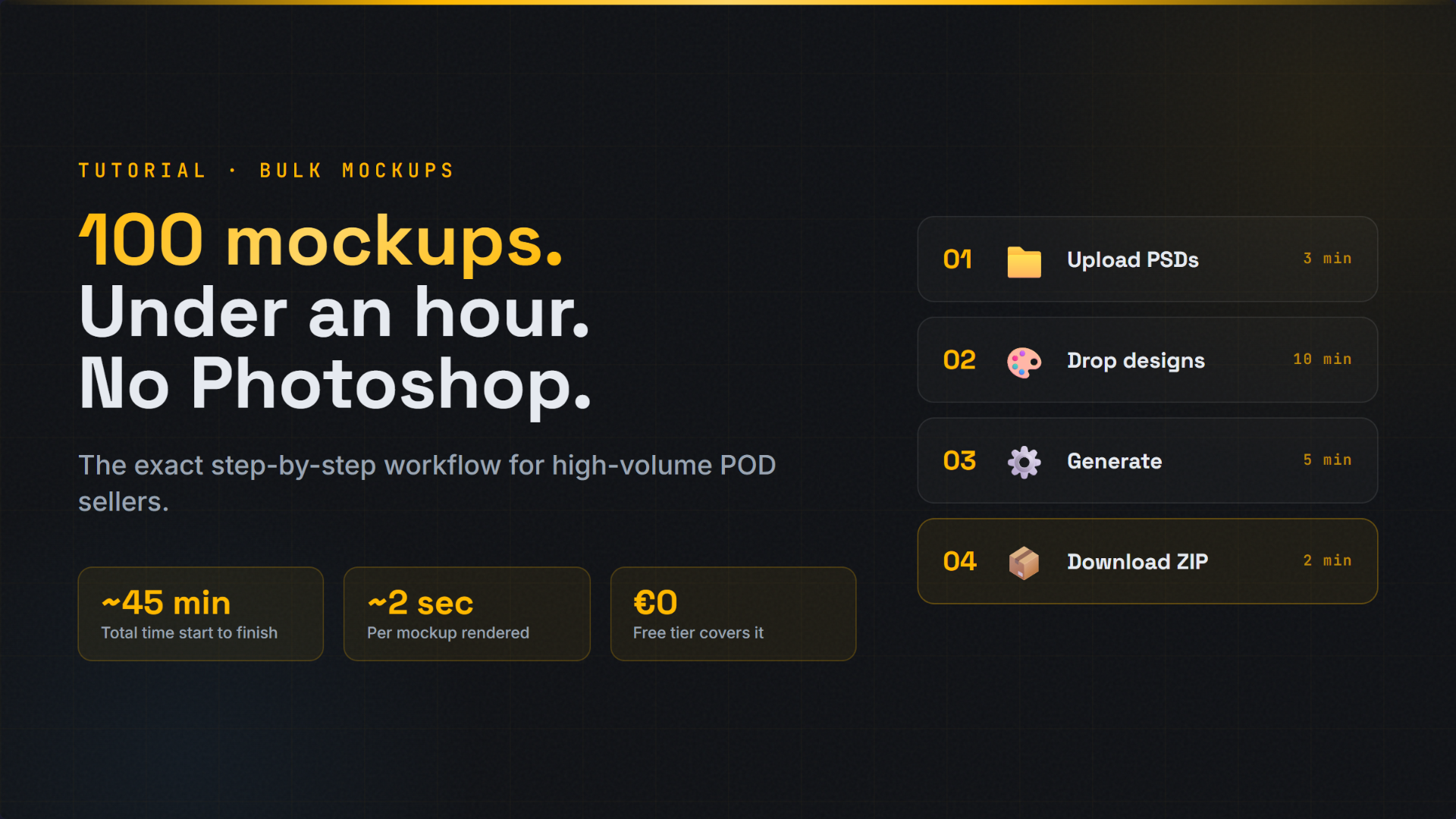
A step-by-step guide for POD sellers. The exact workflow we use to turn 100 designs into listing-ready mockups in roughly 45 minutes, without ever opening Photoshop.
To create 100 product mockups in under an hour: (1) prepare your PNG design files in one folder, (2) upload your PSD templates to MockItReal, (3) bulk upload up to 1,000 designs, (4) click generate and wait 3 to 5 minutes, (5) download a ZIP of finished mockups. Total time: about 45 minutes. No Photoshop required.
Why 100 mockups in an hour matters
If you sell on Etsy, Shopify, or Amazon Merch at any kind of volume, mockups are usually your worst bottleneck. Not the designs. Not the products. The mockups.
Most POD sellers have done the math at least once and quietly looked away. Here is what we found when we ran the numbers on our own workflow before building MockItReal:
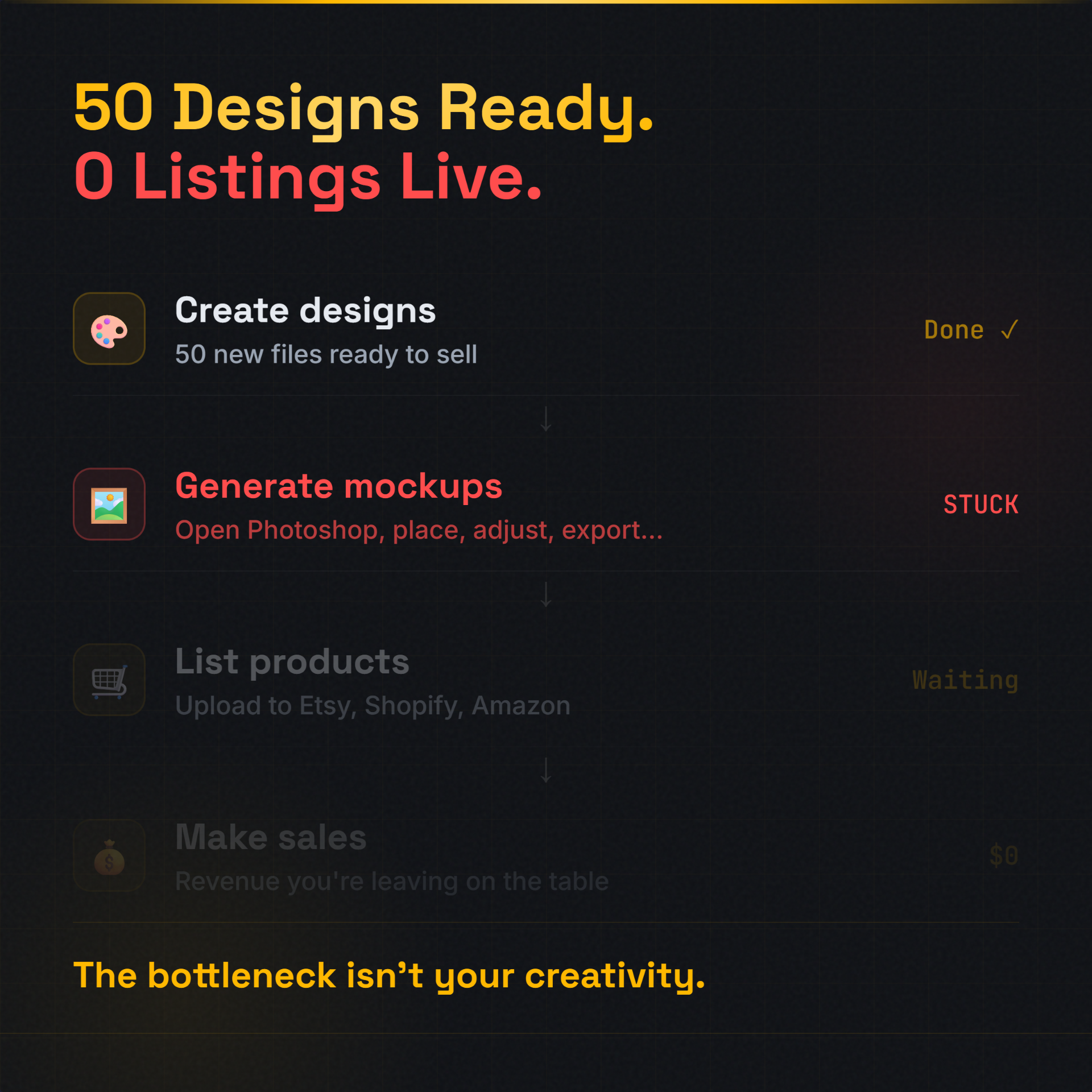
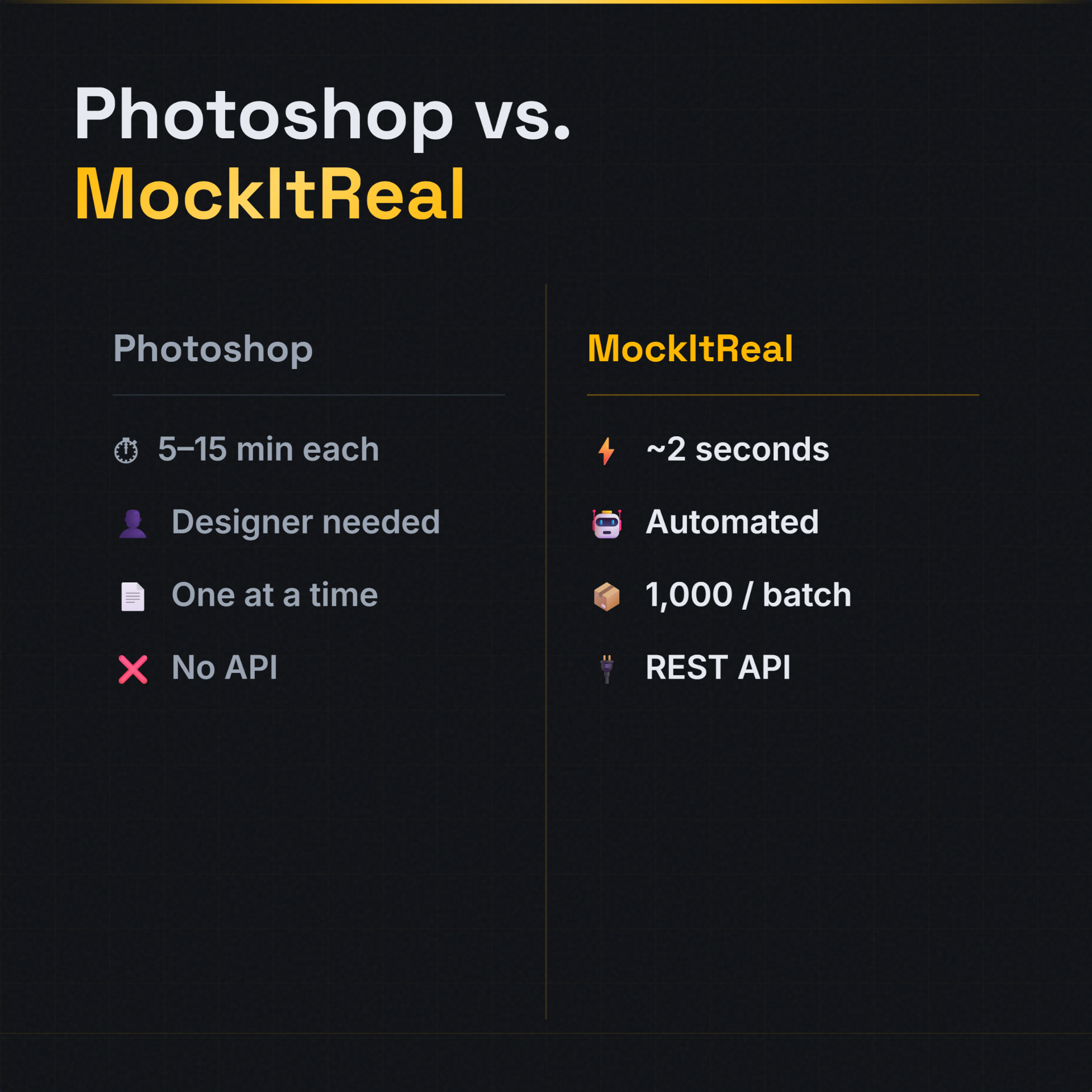
Manual Photoshop work averages around 8 minutes per mockup. That includes opening the PSD, dropping in the design, adjusting smart objects, exporting, and renaming. For 100 mockups, that is over 13 hours of clicking. You will not finish that in a day. Most sellers stretch it across a week.
Speed matters because product photography directly affects conversion. Studies from Shopify and BigCommerce show product images with multiple angles and lifestyle context can lift conversion rates by 30 percent or more. The faster you can produce quality mockups at volume, the more variations you can test and the more listings you can ship.
The workflow below produces the same 100 finished mockups in roughly 45 minutes total. About 5 minutes of setup, 35 minutes of upload and generation, and 5 minutes to download and organize.
Here is how it works.
What you need before starting
Three things. Nothing more.
- Your design files. PNG with transparent background works best for apparel. JPG or PNG works for art prints, posters, and most flat surfaces. Have them in one folder ready to upload.
- PSD mockup templates. Either your own branded templates (recommended for serious sellers), or templates you have purchased or downloaded. The PSD must have a Smart Object layer where the design goes.
- A MockItReal account. Free tier is enough to follow this tutorial. Paid plans unlock higher batch sizes and API access.
You do not need Photoshop. You do not need Illustrator. You do not need design experience. The whole point of this workflow is that your PSDs do the design work once, and then MockItReal applies them at scale.
Step 1: Prepare your design files
Get your designs ready
Open your folder of designs. Quick checklist before uploading:
- File names matter. Use descriptive names like
cat-vintage-floral.pnginstead ofdesign-final-2-FINAL.png. Output mockups inherit these names. - Transparency where it matters. Apparel, mugs, and tote bag mockups need transparent PNG backgrounds.
- Resolution. 3000x3000 px or higher. MockItReal renders at full quality, so junk in equals junk out.
- Color mode. RGB. CMYK is for print files, not mockups.
Step 2: Upload your PSD templates
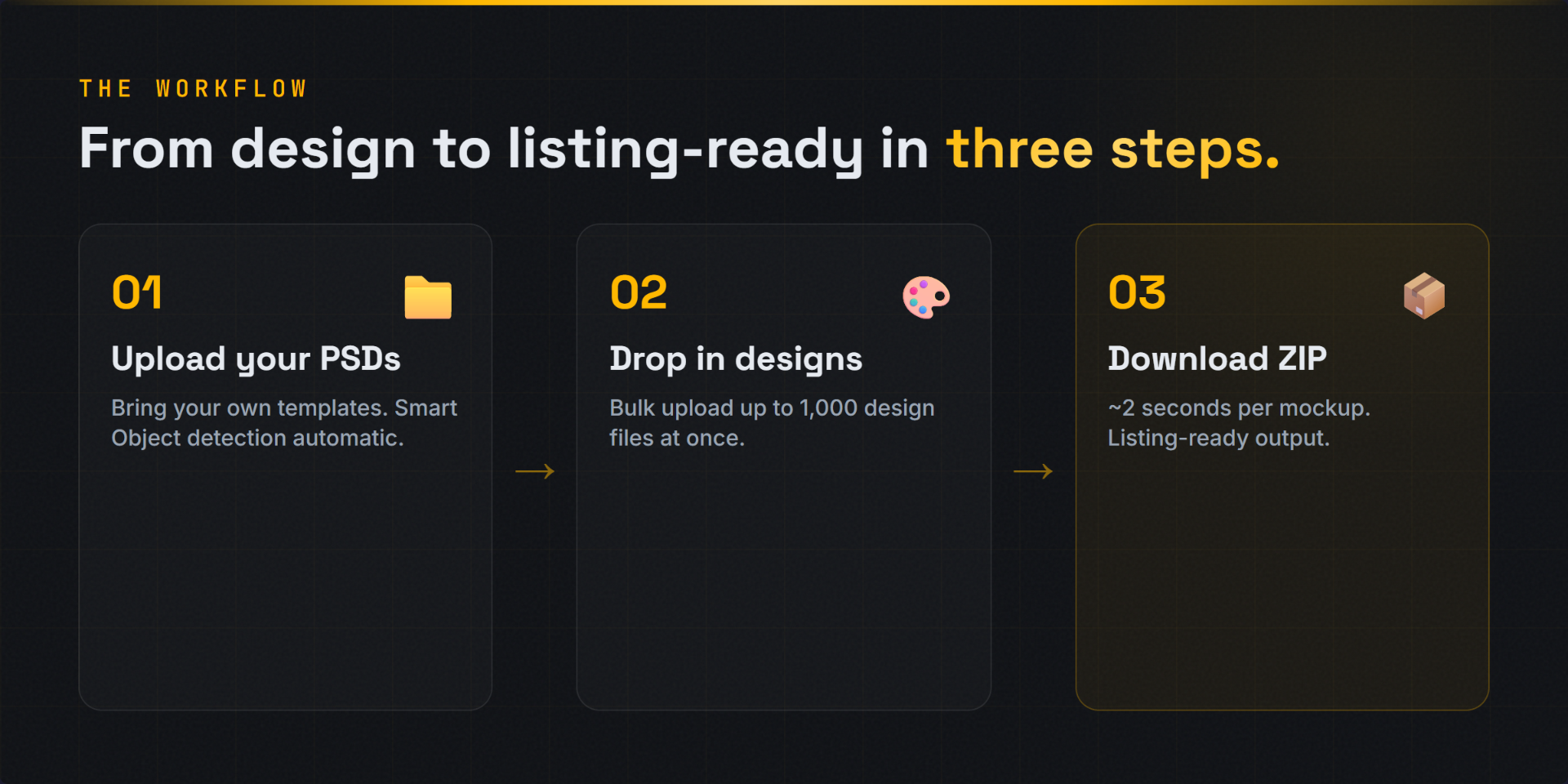
Drop your PSDs into MockItReal
Open the MockItReal dashboard. Click "Templates" and drag your PSD files in. The system reads each PSD, finds the Smart Object layer automatically, and shows you a preview.
This is where MockItReal differs from most other tools. You bring your own templates. No stock library. No generic mockups that thousands of other sellers are also using. Your brand stays your brand.
You only need to upload each PSD once. After that, it lives in your library and you can reuse it across every batch you ever generate.
Pro tip: If you only have 1 or 2 templates, this is the moment to invest in 5 to 10 more. The same designs across multiple template angles and styles convert at a measurably higher rate.
Step 3: Bulk upload your designs
Drop your design folder in
Click "New Batch." Drag your entire designs folder into the upload area. MockItReal accepts up to 1000 files per batch. Multi-select is fully supported, so you can also pick specific designs if you only want to mockup a subset.
While files upload, select the templates you want each design rendered against. 100 designs across 5 templates gets you 500 mockups. 100 designs against 1 template gets you 100. Simple math.
Tip: most sellers select 3 to 5 templates per design. Different angles and contexts increase listing engagement.
Step 4: Generate the mockups
Hit generate, walk away
Click "Generate." MockItReal renders each design across each selected template at roughly 2 seconds per mockup. Renders happen in parallel on cloud infrastructure, so a 100-mockup batch typically finishes in 3 to 4 minutes.
Progress shows in real time. You can leave the tab and come back when it is done. Your batch keeps running.
Under the hood, the engine renders each PSD natively. Your Smart Object layers, blend modes, lighting effects, and shadows all apply the way they would in Photoshop. The output looks identical. Only the time cost is different.
Step 5: Download and use
Get your ZIP
When the batch finishes, click "Download ZIP." You get a single archive with all your finished mockups inside, organized by template name and using the design names you set in Step 1.
Drop them straight into Etsy, Shopify, Amazon, or wherever you list. Each mockup is a high-resolution PNG or JPG, ready to use as a listing image with no further editing.
That is the whole workflow. Five steps, around 45 minutes for 100 mockups, and you keep your time for actually growing the business.
"Mockups should not be the work. They should be the result."
Pro tips for serious POD sellers
Once you have run a few batches, these are the moves that compound.
Use the API for ongoing automation
MockItReal has a REST API. If you publish new designs every week, hook your design pipeline directly into the API. New design files in your folder trigger an automatic mockup batch overnight. You wake up to ZIP files ready to upload.
Invest in good PSD templates once
This is the single best move you can make. A great PSD template lasts years. Three to five templates per product type covers most situations. Our usual setup: one flat clean shot, one lifestyle shot, one detail crop. That mix tends to outperform a stack of similar-looking angles.
Standardize your file naming
If you use the same naming convention for every design, you can write a quick script that pushes mockups directly to your Etsy or Shopify listings via their APIs. This is how high-volume sellers do 50 to 100 listings a week without losing weekends.
Test mockup styles for conversion
According to Etsy seller handbook, listings with multiple high-quality images convert significantly better. Use MockItReal to test 2 or 3 different mockup styles per design and see which gets more clicks. Cheap A/B testing.
Common mistakes to avoid
Frequently asked questions
How long does it really take to make 100 product mockups?
About 45 minutes total using MockItReal. 5 minutes prep, 3 minutes uploading PSDs, 10 minutes uploading designs, 3 to 5 minutes for the system to render the batch, and 2 minutes to download. Manual Photoshop would take 13 hours minimum for the same output.
Do I really not need Photoshop?
Correct. MockItReal renders PSD templates natively in the cloud. You upload PSD files but never need to open them in Photoshop. The Smart Object detection and rendering engine handle everything.
Can I use my own branded PSD templates?
Yes, and we built MockItReal specifically around this use case. Custom branded templates with your photography, lighting, and styling are fully supported. Drag the PSD in, the engine detects the Smart Object layer, and applies your designs.
What if I do not have PSD templates yet?
You have two options. Buy templates from places like Creative Market or commission custom ones from a freelance designer. Our recommendation is to invest in 3 to 5 high-quality templates per product type once. They will last you years and give you a unique look that stock template users cannot match.
Is there a free tier I can test this with?
Yes. MockItReal will have a free tier that lets you generate your first batch without paying. If you want to test the workflow above, the free tier covers it. Paid plans unlock higher monthly volume, faster rendering priority, and API access.
How does this compare to Placeit or Smartmockups?
Placeit and Smartmockups give you stock template libraries you cannot fully customize, and they cap at single-mockup workflows. MockItReal lets you use your own PSDs, generate up to 1000 mockups in a single batch, and access a REST API for automation. Built for sellers who need brand consistency at scale.
Will the mockups look as good as ones I make in Photoshop?
Yes, identical. MockItReal renders PSD files natively, so all your Smart Object layers, blend modes, lighting effects, and shadow layers apply exactly the way Photoshop would render them. The output is the same. Only the time cost is different.
Try it on your own designs
Free tier covers your first batch. Drop in your PSDs, your designs, and see your first 100 mockups generated in under an hour.
Join the Waitlist